Landing Page vs. Homepage: What's the Difference and When to Use Each
 Grademypage Team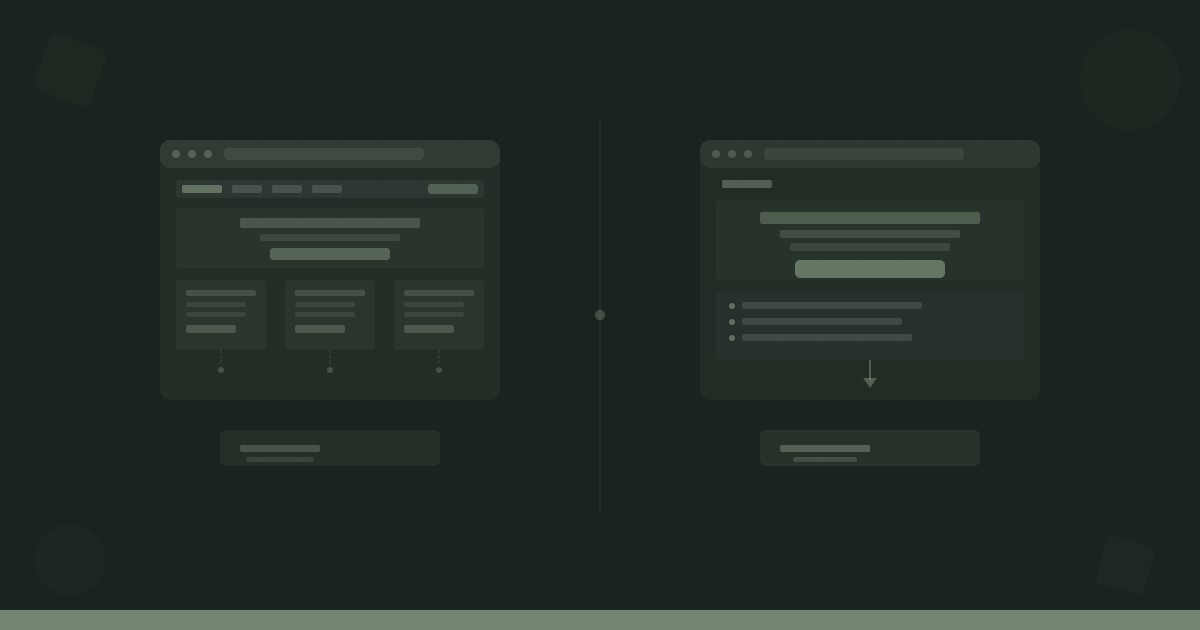
You're running a Google Ads campaign. Someone clicks your ad, lands on your homepage, and... leaves. No signup. No purchase. Just a bounce. Sound familiar?
This is one of the most common and costly mistakes in digital marketing: sending paid or high-intent traffic to your homepage instead of a dedicated landing page. The two serve completely different jobs, and confusing them wastes money every single day.
Here's exactly what separates them, when each one is the right choice, and how to stop leaving conversions on the table.
The Core Difference Between a Landing Page and a Homepage
A homepage is the front door of your entire business. It speaks to everyone, covers everything you offer, and lets visitors self-select where they want to go next. It's designed for exploration.
A landing page has one job. It's built around a single offer, a single audience, and a single action you want the visitor to take. Everything on the page exists to push toward that one conversion goal. Navigation menus, links to other sections, blog posts, footer links? Often stripped away entirely so nothing competes with the CTA.
Think of it this way: a homepage is a lobby. A landing page is a room with one door in and one door out.
That difference in purpose changes everything about how each page should be designed, written, and measured.
What a Homepage Is Actually For
Your homepage needs to do a lot of things at once, and that's fine because it's meant to serve a broad audience with different needs and different levels of awareness.
A good homepage typically:
- Communicates what you do clearly enough that a first-time visitor understands it in under five seconds
- Directs different audience segments toward the right part of your site (pricing, features, case studies, blog)
- Builds brand identity through tone, design, and messaging
- Provides navigational context so visitors can orient themselves and find what they need
- Captures broad interest rather than driving a single, specific action
Because of all this, homepages are designed to handle multiple conversion paths simultaneously. Someone might sign up for a trial. Someone else might download a resource. Another person reads a blog post and leaves, only to return later after seeing a retargeting ad.
That's not a failure. That's the homepage doing its job.
What a Landing Page Is Actually For
A landing page operates on a completely different logic. Every element on the page exists for one reason: to get the visitor to complete a specific action.
That action might be:
- Starting a free trial
- Booking a demo
- Downloading a lead magnet
- Registering for a webinar
- Buying a product
Because the goal is singular, landing pages are stripped of anything that creates distraction or gives the visitor an easy exit. No navigation bar pulling them to your pricing page. No blog links. No "About Us" section. Just the offer, the reasons to say yes, and the form or button.
This focused structure is why landing pages almost always convert better than homepages for specific campaigns. According to research from Unbounce, the median landing page conversion rate across industries is around 4.3%, and top-performing pages hit 10% or more. Homepages rarely reach those numbers for a specific goal because they're not designed to.
If you want to know whether your landing page has the right structure for conversion, the anatomy post breaks down every section and why it matters.
Key Structural Differences Side by Side
Here's how the two page types differ on the elements that matter most:
Navigation
- Homepage: Full nav menu with links to all major sections
- Landing page: Navigation removed or heavily stripped down (sometimes just a logo)
Audience
- Homepage: Broad, multiple segments, varying levels of awareness
- Landing page: One specific segment, often coming from a specific campaign or source
Goal
- Homepage: Multiple CTAs for multiple outcomes
- Landing page: One CTA, repeated strategically throughout the page
Content depth
- Homepage: Overview-level, covers the full breadth of your product or service
- Landing page: Goes deep on one offer or one use case
Traffic source
- Homepage: Organic search, direct traffic, social, referrals
- Landing page: Paid ads, email campaigns, specific social promotions, referral partnerships
Success metric
- Homepage: Session depth, time on site, scroll rate, multi-goal conversions
- Landing page: Single conversion rate (signups, downloads, purchases)
When to Use a Landing Page Instead of Your Homepage
Use a dedicated landing page any time you're driving traffic with a specific intent attached to it.
Paid advertising is the clearest case. If someone clicks an ad promising a free trial for your software, they should land on a page that's entirely about that free trial, not your homepage where they have to go find the signup button themselves. Message match between ad and landing page is one of the biggest levers in paid campaign performance.
Email campaigns work the same way. If you send an email promoting a webinar, the link should go to a webinar registration page, not your homepage. Every click in an email represents someone who was interested enough to act. Don't make them hunt.
Product launches benefit from landing pages because you can isolate the launch message from everything else on your site. The entire page is about the new thing.
Lead magnets and content upgrades need landing pages. If you're offering a downloadable guide, checklist, or template, a dedicated page with a form converts significantly better than embedding that same form somewhere on your homepage.
SEO for specific queries can also warrant landing pages. If you want to rank for "project management software for construction companies," a page built specifically around that audience and use case will outperform your generic homepage for that query every time.
The trust signals post covers what to include on these pages to push visitors over the finish line once they arrive.
5 Mistakes People Make When Confusing the Two
1. Sending all paid traffic to the homepage. This is the most common error. Paid clicks are expensive. Every person who arrives without a clear, immediate path to conversion is wasted spend.
2. Adding a nav menu to a landing page. Navigation gives visitors a way out. If someone came to sign up, the nav bar is just a collection of exit ramps. Remove it or reduce it to a logo only.
3. Using the homepage as a landing page without changes. Some teams think "our homepage is great, we'll just send people there." But a page designed for everyone converts poorly for anyone specific.
4. Building landing pages with no SEO consideration. If a landing page lives on your site permanently (a pricing page, a features page), it needs to be optimized for search. Ignoring SEO because "it's just a landing page" leaves organic traffic on the table. The SEO fundamentals post covers the basics you shouldn't skip.
5. Measuring landing pages with homepage metrics. Time on site and pages per session are meaningful for homepages. For a landing page, the only metric that matters is conversion rate. Judge each page by its own goal.
How to Decide Which One You Need
Ask yourself two questions:
- Is this traffic coming from a specific campaign, offer, or segment? If yes, build a landing page.
- Do I have one clear action I want this visitor to take? If yes, build a landing page.
If your answers are "not really" and "it depends," you're probably dealing with general awareness traffic, and a homepage (or content page) is the right destination.
A useful rule: the more targeted the traffic source, the more targeted the destination page should be. Broad organic traffic goes to your site. Narrow campaign traffic goes to a page built specifically for that campaign.
Take Action
Understanding whether your page is structured as a focused landing page or a catch-all homepage is one of the first things worth auditing. The difference in conversion rate between a well-built landing page and a homepage sent the wrong traffic can be dramatic.
Paste your URL into Grademypage and get your score in under a minute. It's free, no account required.
See your page score.
Paste any landing page URL and get an instant, AI-powered audit across 22+ factors.
Run a free scanFree · No account required · Results in ~1 minute